

Google Analytics has been the default web analytics tool for years. But let’s be honest — a lot of people don’t love it.
Between the 24-48 hour data delays, the confusing interface, the 14-month retention cap on event-level data, and the fact that cookie consent banners can hide a significant portion of your traffic, there are real reasons to look elsewhere.
We know this space well. Our team also built GoodMetrics, a web analytics tool designed to fix the things that frustrated us most about GA4. So we have strong opinions here — but we’ve done our best to give every tool on this list an honest assessment, including our own.
This isn’t your typical listicle. We’ve grouped tools by use case and included a decision framework to help you pick the right one. We also cover what you’d actually lose by switching from GA4, because there are a few things to keep in mind.
Most paid tools on this list fall in the $15-70/mo range for a typical site (under 1M pageviews). Pricing scales with traffic, and each tool measures it slightly differently (pageviews vs. events vs. sessions), so check their pricing pages for exact numbers at your traffic level.
Best Full GA4 Replacements
These tools aim to give you everything GA4 does (or close to it) without the complexity and frustrations.
1. GoodMetrics
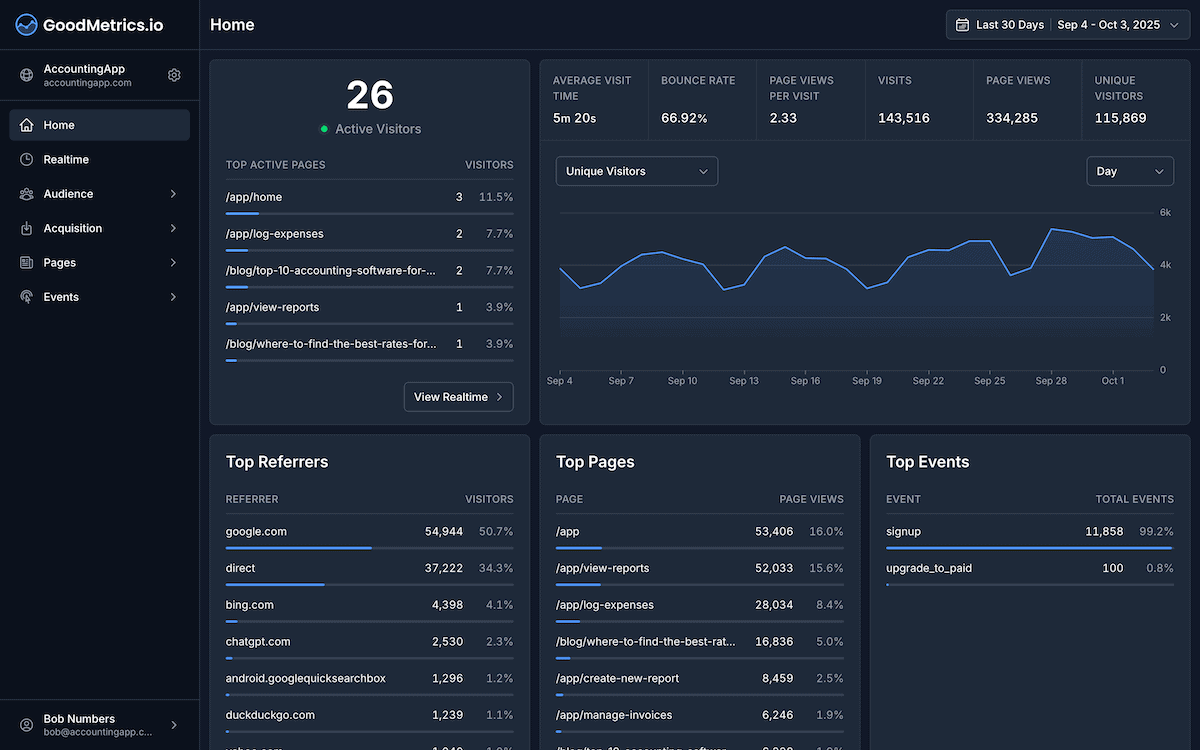
GoodMetrics is a web analytics tool designed to bring back the simplicity of Universal Analytics with modern privacy built in. It focuses on the things GA4 gets wrong — data delays, confusing metrics, and a steep learning curve — and strips them away in favor of real-time, cookieless tracking that works out of the box.
Pricing: Starts at $19/mo for 100K pageviews, scaling up with traffic. All features included at every tier with no per-seat charges and no feature gating.
Key strengths:
- An intuitive interface with all the key reports available right out of the box.
- Real-time data (not GA4’s “real-time” which is still delayed). Data shows up within seconds.
- Unlimited data retention on all plans — including event-level data, which GA4 caps at 14 months
- 2.5 KB tracking script (significantly lighter than GA4’s), which means better page load speeds
- First-touch and last-touch attribution with multi-session conversion tracking
Honest limitations:
- No self-hosted option
- Newer product with a smaller ecosystem than established tools
- No native Google Ads integration (though UTM tracking works)
Choose GoodMetrics if you want a clean, fast analytics experience that feels like Universal Analytics used to — real-time data, intuitive reports, and conversion tracking that works out of the box, all without cookies.
2. Matomo
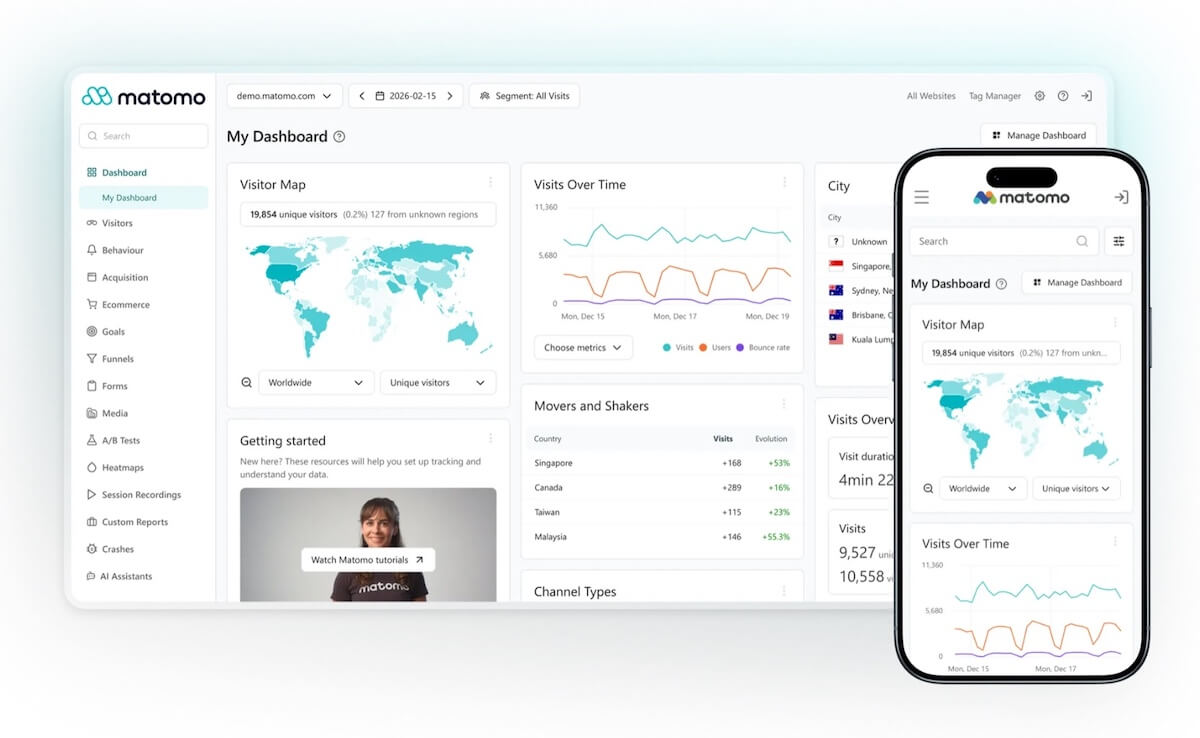
Matomo is the most feature-complete open-source alternative to GA4. It’s been around since 2007 (originally called Piwik) and is used by over 1 million websites. If you want everything GA4 offers and more — e-commerce tracking, tag management, form analytics — Matomo is the closest you’ll get.
Pricing: Self-hosted is free forever. Cloud plans start at $42/mo for 100K hits and scale up with traffic — it gets pricey at high volume.
Key strengths:
- Most feature-rich GA alternative available: form analytics, tag manager, e-commerce tracking, and more
- Self-hosted option gives you 100% data ownership — your data never leaves your servers
- Configurable data retention (keep data forever if self-hosted)
- GDPR tools built in (consent management, data deletion)
Honest limitations:
- Heavy tracking script (~22 KB compressed) — noticeable impact on page speed
- Self-hosted requires server maintenance (PHP/MySQL stack) and technical knowledge
- Cloud pricing gets expensive at scale ($975/mo for 5M hits)
- UI can feel dated and complex, especially compared to newer tools
Choose Matomo if you need the most feature-rich analytics suite and want to self-host for complete data ownership. It’s the power-user choice.
3. Piwik PRO
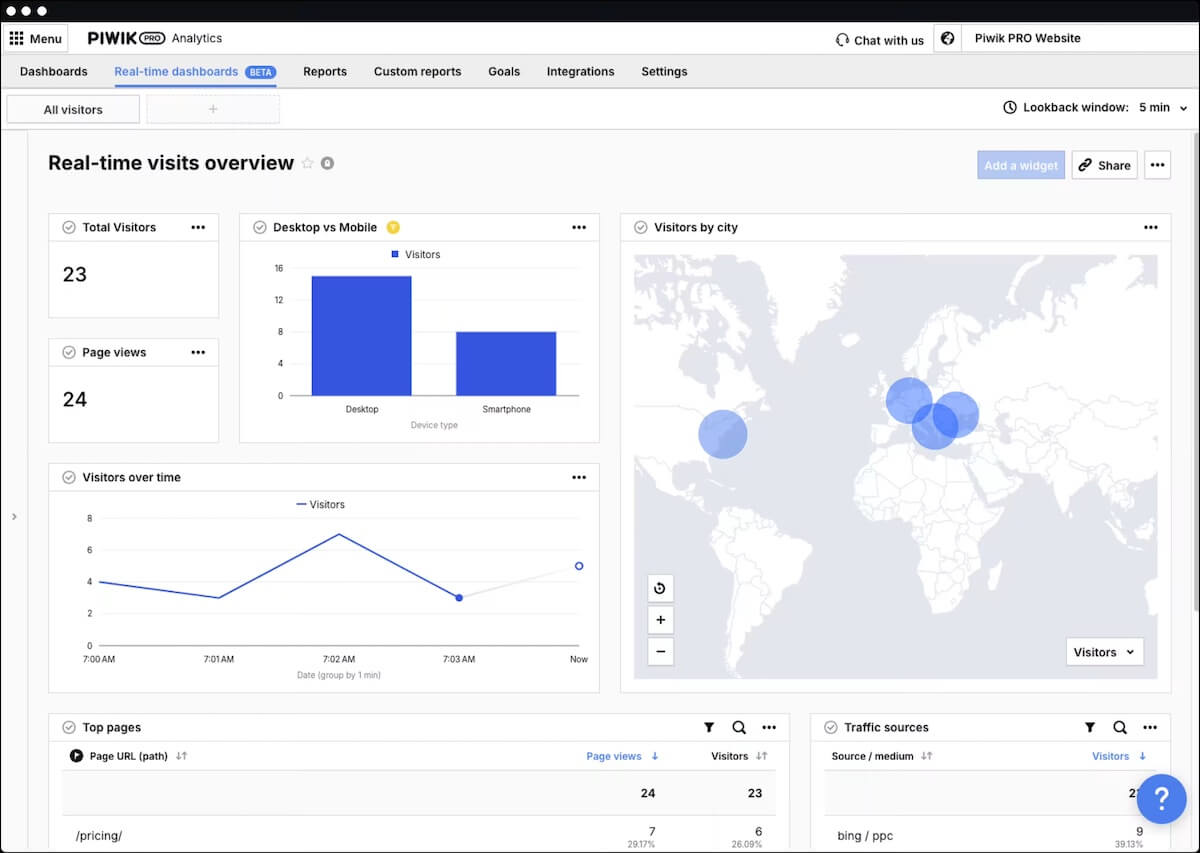
Piwik PRO forked from Matomo years ago and went the enterprise route. It bundles Analytics, Tag Manager, Consent Manager, and a Customer Data Platform into one product. If you’re in healthcare, finance, or government and need HIPAA-level compliance, this is your tool.
Pricing: Business plan starts at ~$38/mo for up to 2M actions. Enterprise tiers jump significantly.
Key strengths:
- All-in-one suite: analytics + tag manager + consent manager + CDP
- Built for compliance: GDPR, HIPAA-capable, EU-operated cloud (Sweden)
- Closest feature parity to GA4 of any enterprise alternative
- Audience segmentation and data activation features
Honest limitations:
- Very heavy tracking script (~86 KB)
- No more free tier — entry price is reasonable but enterprise tiers jump significantly
- UI complexity rivals GA4 (not simpler, just different)
- Business plan caps data retention at 25 months
Choose Piwik PRO if you’re an enterprise that needs analytics + consent management + tag management in a single, compliance-first platform.
4. Rybbit
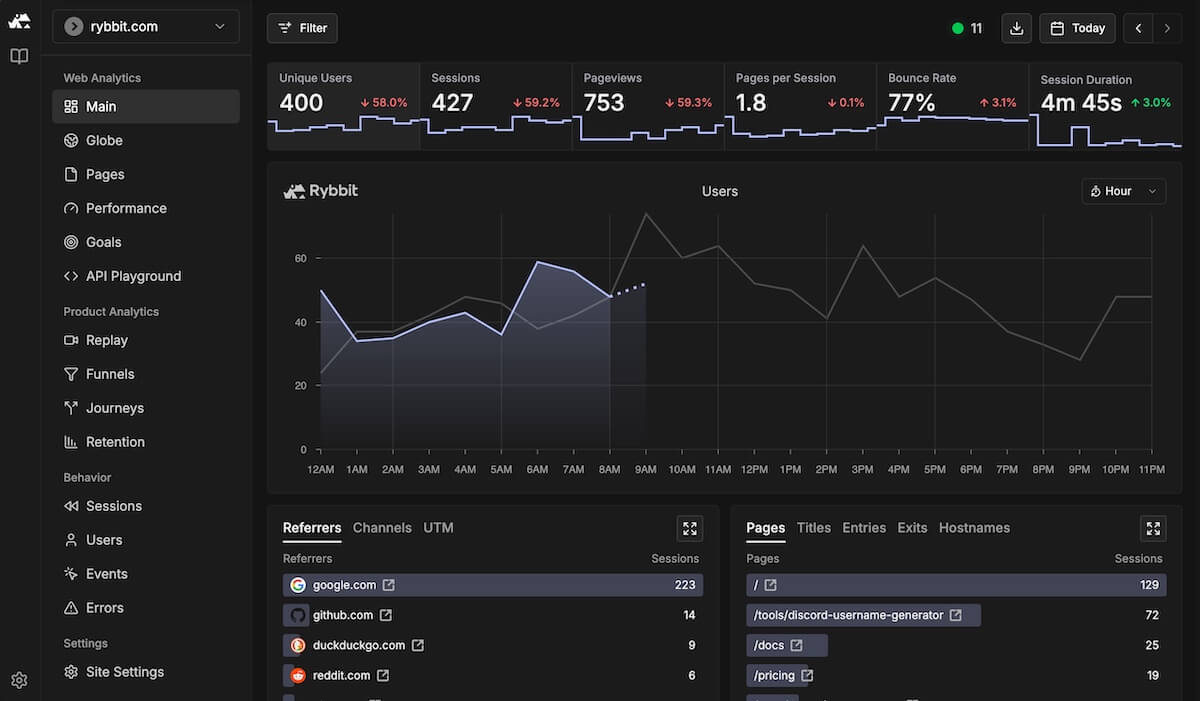
Rybbit is a newer entrant that’s gained traction fast — 11K+ GitHub stars and growing. It bridges the gap between simple web analytics and product analytics, offering funnels, retention analysis, and session replay alongside standard traffic metrics.
Pricing: Free tier with 3,000 pageviews/month. Paid plans start at $13/mo (Standard) or $26/mo (Pro, which adds session replay and 5-year retention).
Key strengths:
- Open source (AGPL) — fully self-hostable with all features included
- Session replay with privacy masking
- Funnels and retention analysis (product analytics features in a web analytics tool)
- Cookieless and GDPR/CCPA compliant
- Active development and community
Honest limitations:
- Very new — still maturing (founded Jan 2025)
- Heavier script than most privacy-focused tools (~26 KB uncompressed / ~9 KB gzipped)
- No built-in consent manager or tag manager
- Smaller ecosystem and fewer integrations than established tools
Choose Rybbit if you’re a developer who wants open-source analytics with session replay and product analytics features, and you’re comfortable being an early adopter.
Best for Privacy-First Teams
These tools prioritize simplicity and privacy above all else. They’re lightweight, cookieless, and typically don’t require consent banners.
5. Plausible Analytics
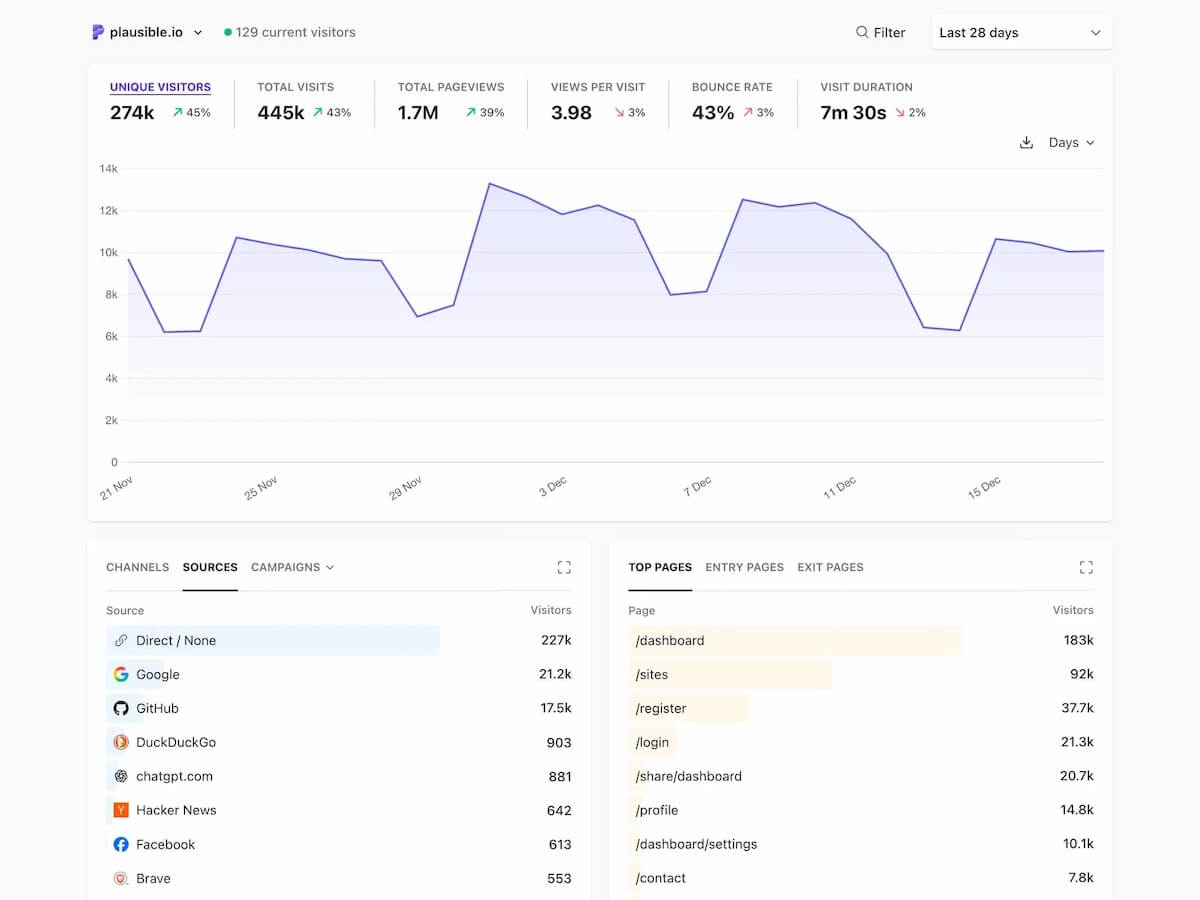
Plausible has become the poster child for privacy-first analytics. It’s lightweight, open source, and gives you a clean single-page dashboard that shows you exactly what you need without the noise.
Pricing: Starts at $19/mo (Starter, 1 site) for 100K pageviews. Higher tiers add team features, funnels, and API access. Self-hosted Community Edition is free.
Key strengths:
- One of the lightest tracking script of any tool on this list
- Open source and self-hostable
- GA4 data import — one of the few tools that can bring in your historical GA data
- Google Search Console integration
Honest limitations:
- No e-commerce tracking (revenue, cart events)
- Can’t group multiple domains into one unified view
- Self-hosted Community Edition has fewer features than the paid cloud
- Basic compared to GA4 for power users who need deep segmentation
Choose Plausible if you want the simplest possible analytics dashboard, care deeply about open source, and don’t need advanced features like conversion funnels or e-commerce tracking.
6. Fathom Analytics
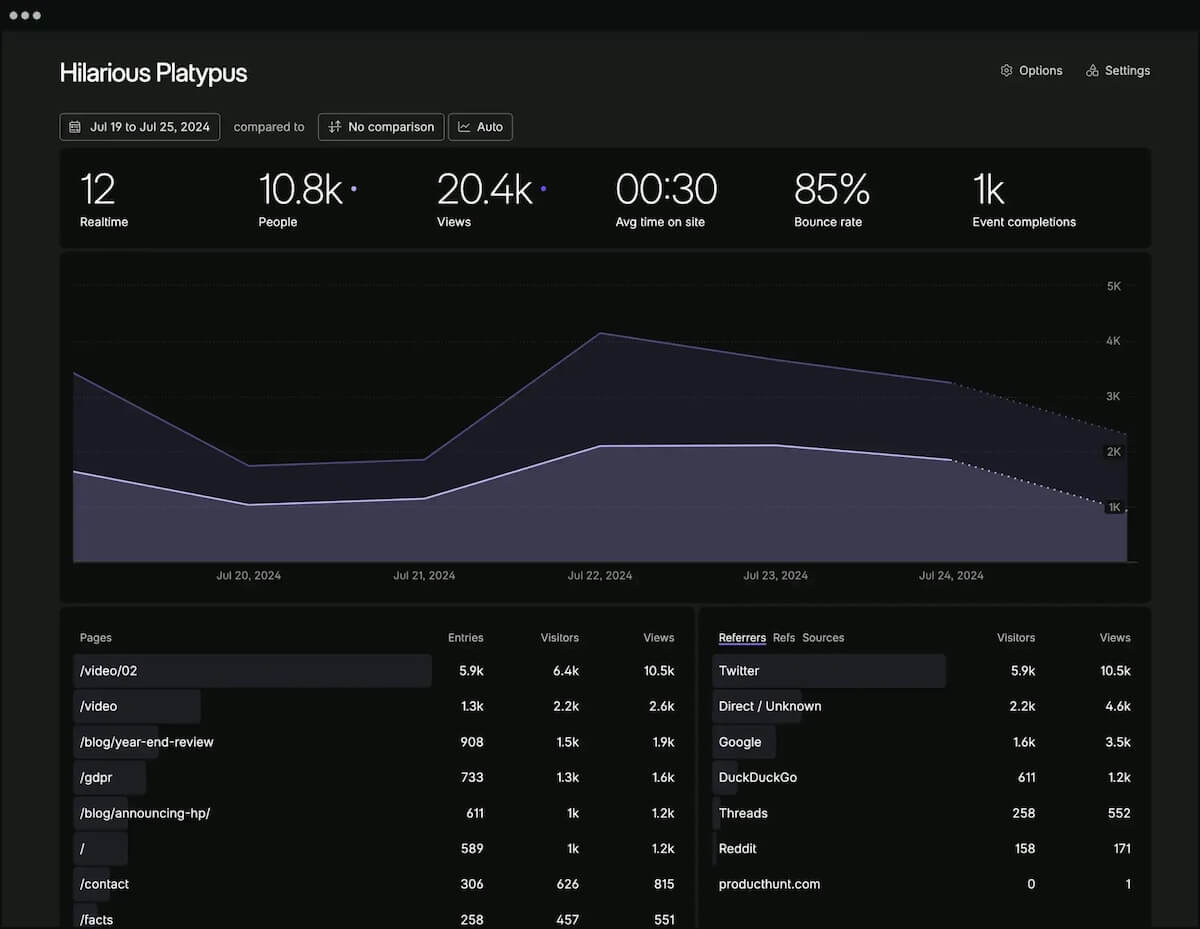
Fathom is the “just works” option. No configuration headaches, no self-hosting, no complexity. You add a script, and you get a beautiful, privacy-compliant dashboard. It’s opinionated in the best way.
Pricing: Starts at $15/mo for 100K pageviews. Single plan with all features at every tier. Up to 50 sites per account.
Key strengths:
- Unlimited data retention on all plans
- EU isolation option (data processed entirely in EU, not just stored there)
- Clean, polished UI that’s pleasant to use
- Excellent bot filtering
Honest limitations:
- No self-hosted option
- No funnel analysis
- Limited segmentation compared to GA4
Choose Fathom if you want analytics that require zero maintenance, look great, and give you peace of mind on privacy compliance.
7. Simple Analytics
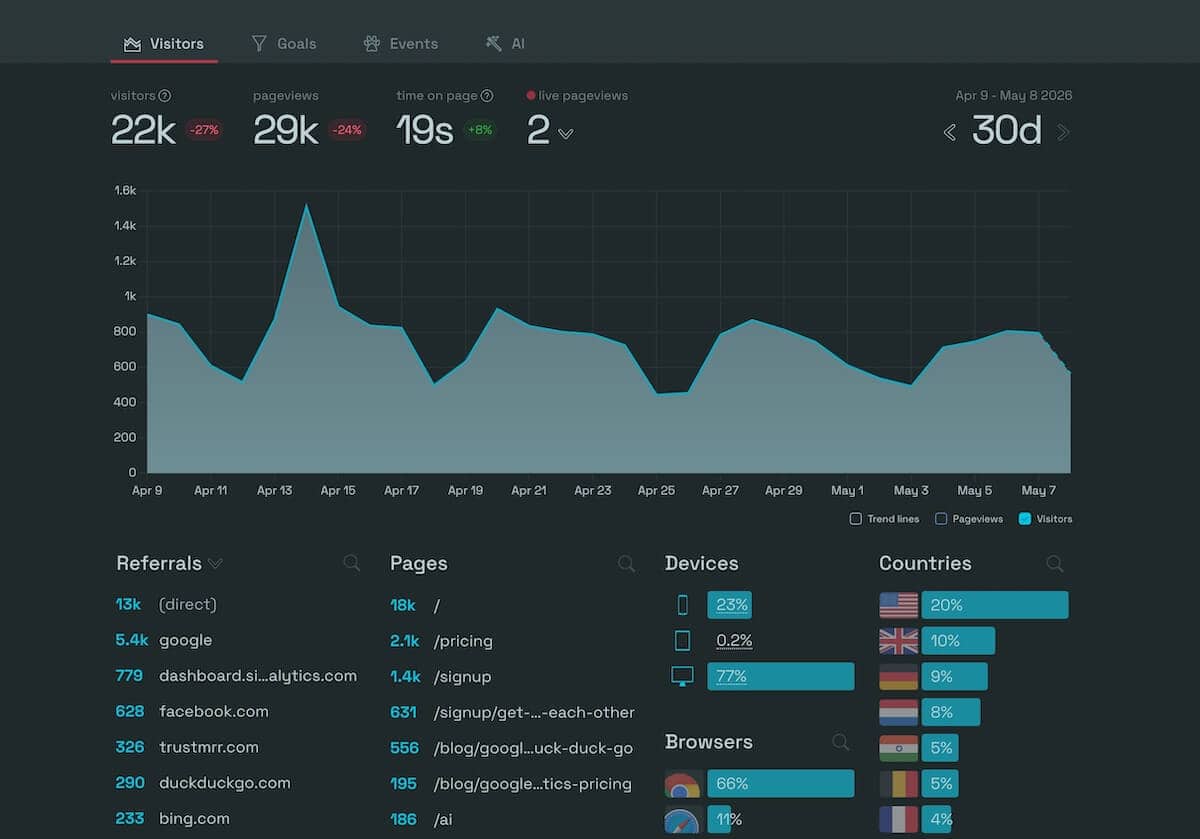
Simple Analytics is a Netherlands-based analytics tool that takes a hard-line stance on privacy. No cookies, no fingerprinting, no personal data — period. They also have a built-in AI assistant for querying your data conversationally.
Pricing: Starts at $19/mo (Starter, 100K datapoints). Business plan is $59/mo for 1M datapoints. 50% discount for nonprofits.
Key strengths:
- Zero personal data collection
- AI assistant for conversational data queries
- EU-based, EU-hosted (Netherlands)
- Google Search Console integration
- Public dashboard sharing feature
Honest limitations:
- Data retention is capped: 3 years (Starter) or 5 years (Business) — not unlimited
- No self-hosted option
- Fewer integration options than competitors
Choose Simple Analytics if you’re an EU-based business that needs the strictest possible privacy compliance and values simplicity over feature depth.
8. Pirsch Analytics
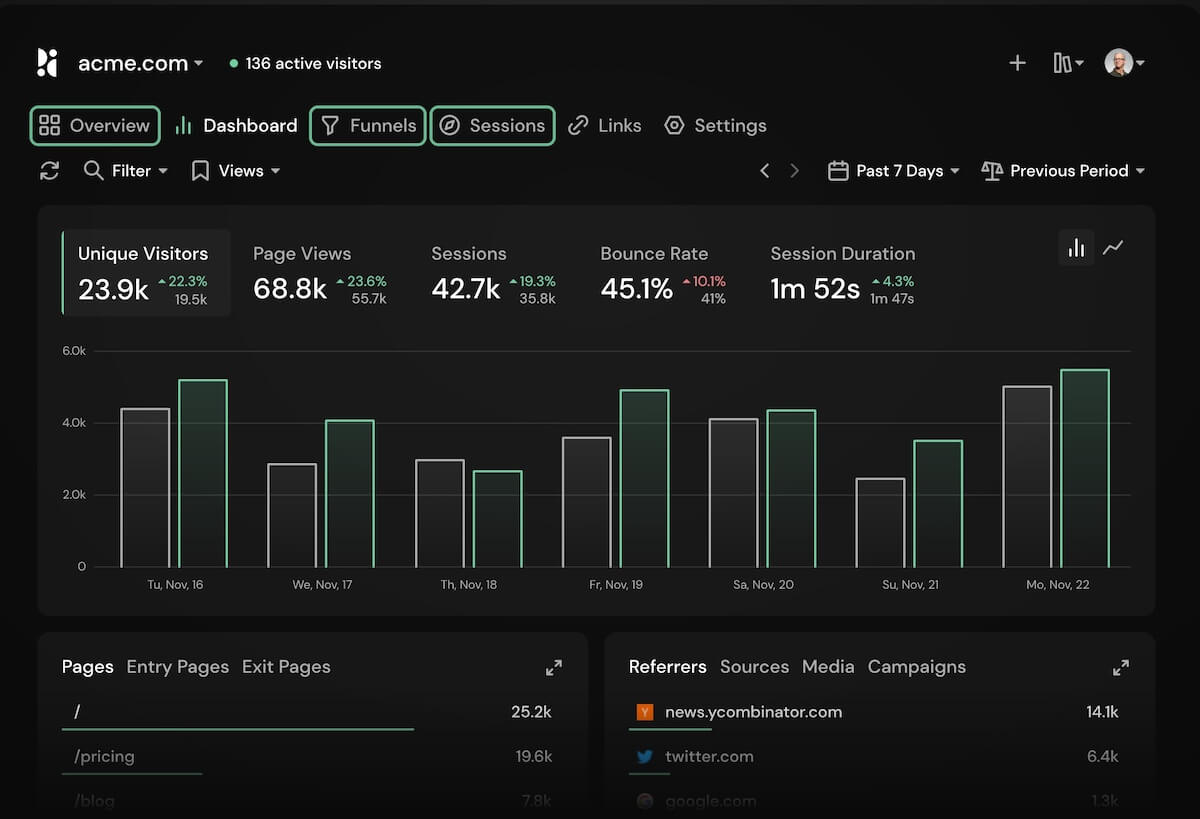
Pirsch is a German-made analytics tool with a unique angle: it offers server-side tracking that works without any JavaScript at all. This means it can capture visitors even when JavaScript is blocked or fails to load.
Pricing: Standard plan starts at $12/mo for 100K pageviews. Plus plan (adds funnels, A/B testing, segmentation) starts at $27/mo.
Key strengths:
- Server-side tracking option (no JavaScript required)
- Made and hosted in Germany (strict EU privacy)
- A/B testing and funnels on Plus plan
- Unlimited data retention on all plans
- Most affordable option at scale on the Standard plan
Honest limitations:
- Less brand recognition than Plausible or Fathom
- Standard plan caps at 50 websites
- No GA4 data import
Choose Pirsch if you want affordable, privacy-first analytics with the option for server-side tracking, and you value German data hosting.
Best for Self-Hosting
If you want complete control over your data and don’t mind managing infrastructure, these tools let you run analytics on your own servers.
Matomo, Plausible, Rybbit, and Pirsch (covered above) all offer self-hosting. But the standout purpose-built self-hosted option is:
9. Umami
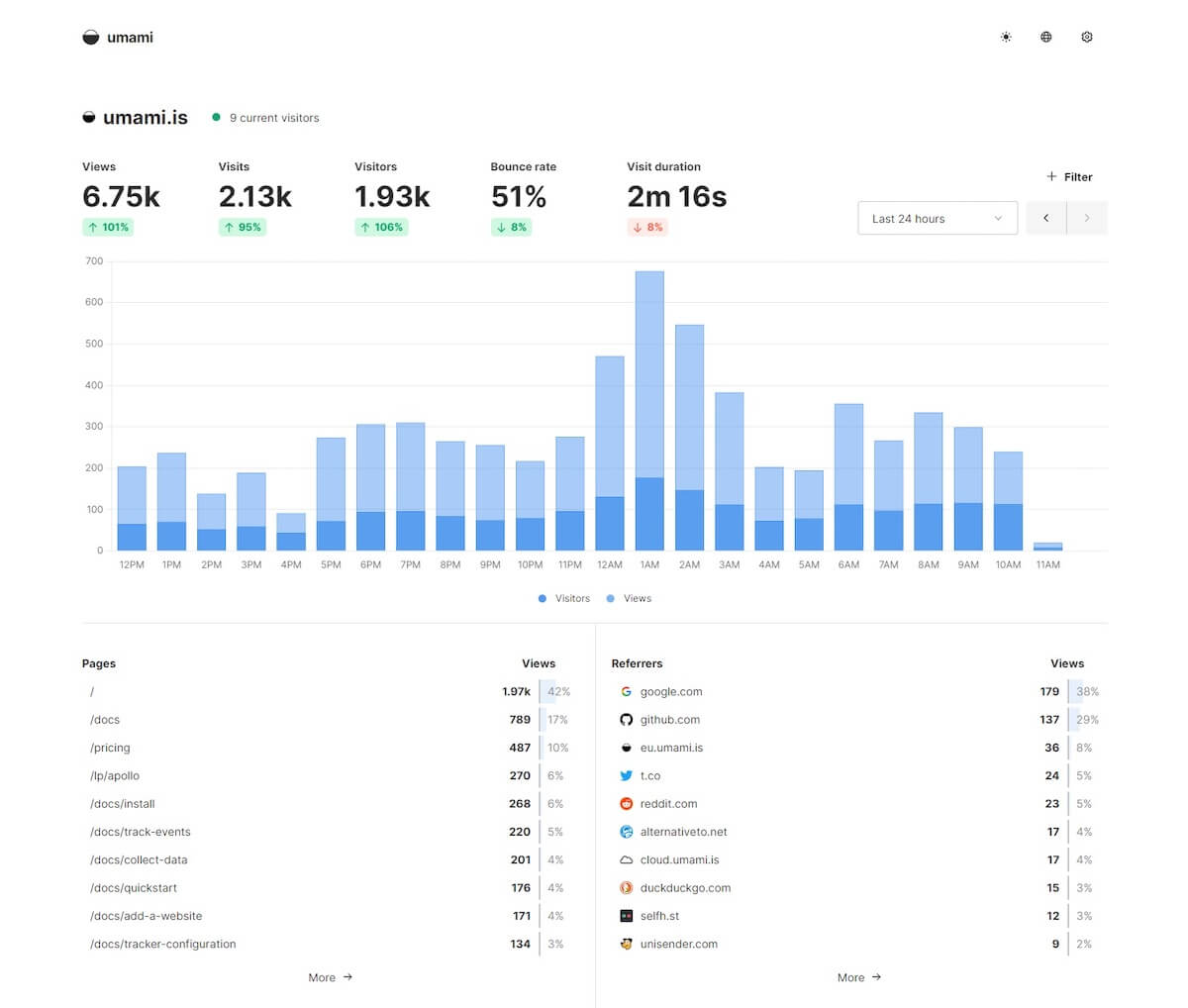
Umami is MIT-licensed, fully open source, and built for developers. Self-hosted Umami has no limits on events, websites, or team members. The cloud version has a free tier, but the real value is in self-hosting.
Pricing: Self-hosted is completely free with no limits. Cloud has a free Hobby tier (100K events, 3 sites) and a Pro plan at $20/mo for 1M events.
Key strengths:
- MIT license — truly open source with no restrictions
- Self-hosted: unlimited everything (events, sites, team members)
- Lightweight tracking script (under 2 KB)
- Supports funnels, user journeys, and retention analysis
- 60+ plugin integrations
Honest limitations:
- Self-hosting requires DevOps knowledge (PostgreSQL or MySQL)
- Cloud free tier is very limited (3 sites, 6 months retention)
- No built-in e-commerce tracking
Choose Umami if you’re a developer comfortable with self-hosting and want completely free, open-source analytics with no strings attached.
Best Free Option
If you’re short on cash, there’s only one free option the list:
10. Cloudflare Web Analytics
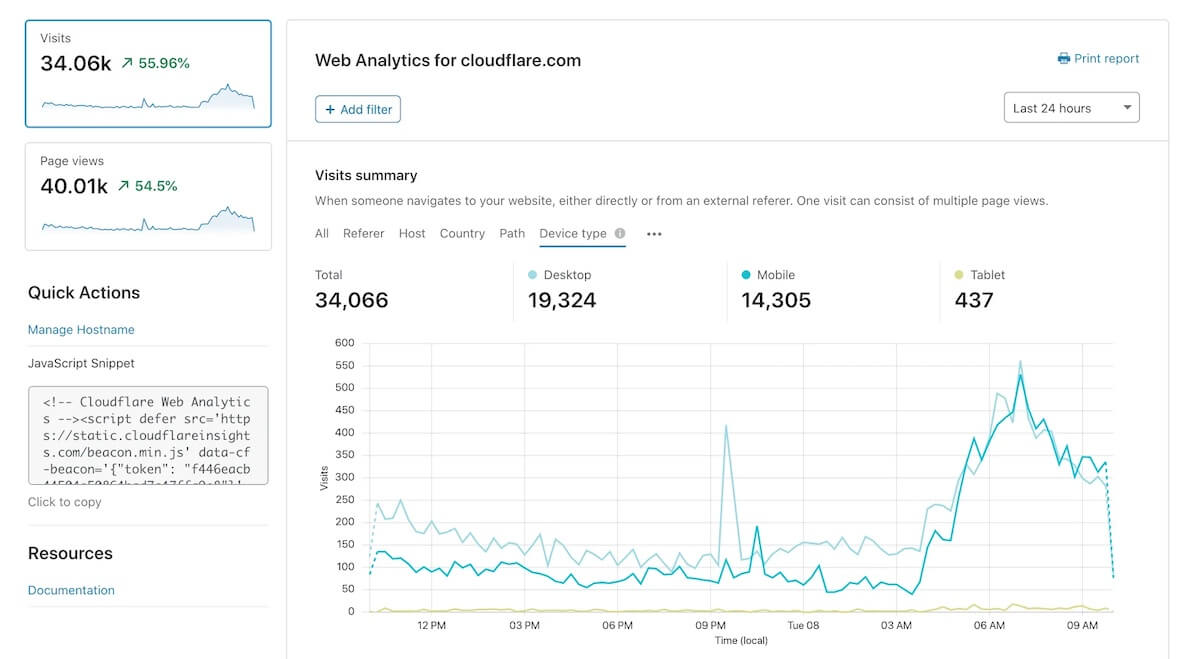
Cloudflare Web Analytics is completely free with no traffic limits. But you get what you pay for — it’s extremely basic.
Key strengths:
- Completely free, no traffic limits
- Cookieless, no consent banners needed
- Core Web Vitals built in
- Works on any site (doesn’t require Cloudflare CDN)
Honest limitations:
- Uses adaptive sampling on large datasets (data stored at 100%, 10%, and 1% resolutions), so metrics are often extrapolated rather than exact counts
- Only 6 months of data retention
- No custom events, conversion tracking, or funnels
- No API, no data export
- No UTM tracking
- Cannot compare date ranges
- Truly “basic” — a significant downgrade from GA4
Choose Cloudflare Web Analytics if you just need a rough sense of traffic patterns and want to pay nothing. It’s not suitable as a primary analytics tool for any serious website.
Established / Traditional Tools
These tools have been around for years and have loyal user bases, even if they’re not as modern as the newer alternatives.
11. Clicky
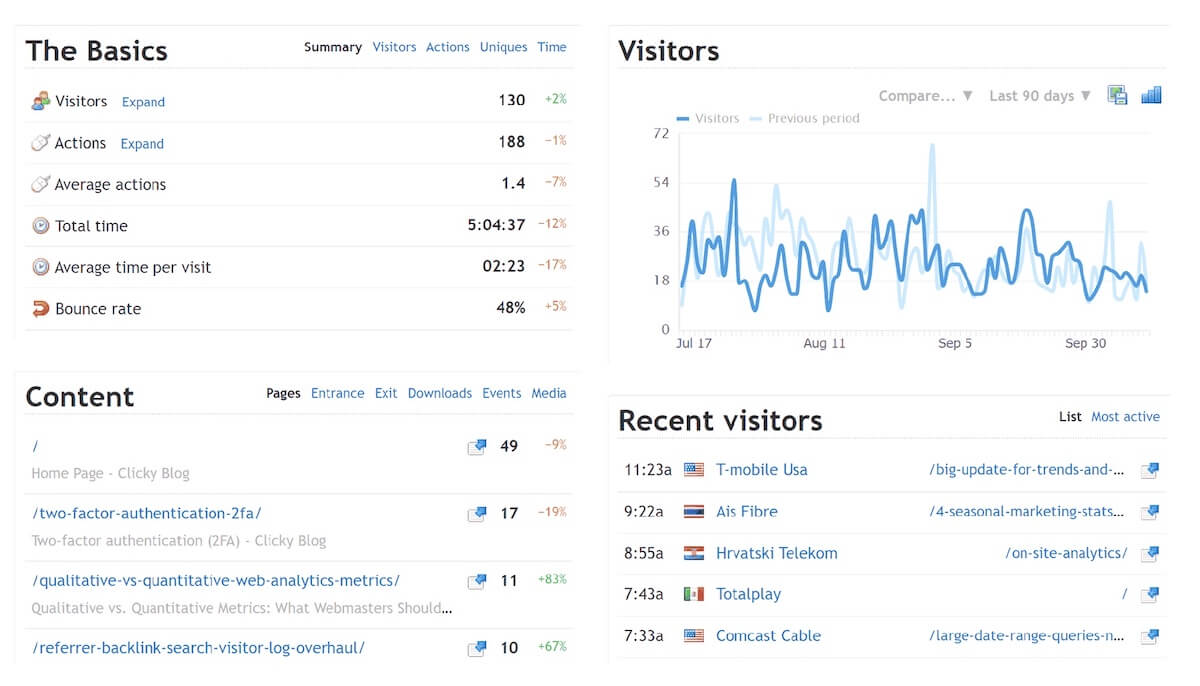
Clicky has been around since 2006, making it one of the oldest Google Analytics alternatives. It’s not the prettiest tool, but it’s reliable and affordable.
Pricing: Free tier for small sites (3,000 daily pageviews). Paid plans start at $9.99/mo and uses daily pageview caps instead of monthly.
Key strengths:
- Proxy tracking option that may capture visitors who would otherwise be blocked by ad blockers
- Real-time individual visitor monitoring
- Free tier is usable for small sites
Honest limitations:
- UI feels dated (hasn’t had a major redesign in years)
- Free plan only retains 30 days of data
- Not privacy-first by default (cookies optional but traditional tracking approach)
- Limited modern integrations
Choose Clicky if you want affordable, no-frills analytics and don’t mind a dated interface. Good bang for the buck.
12. Statcounter
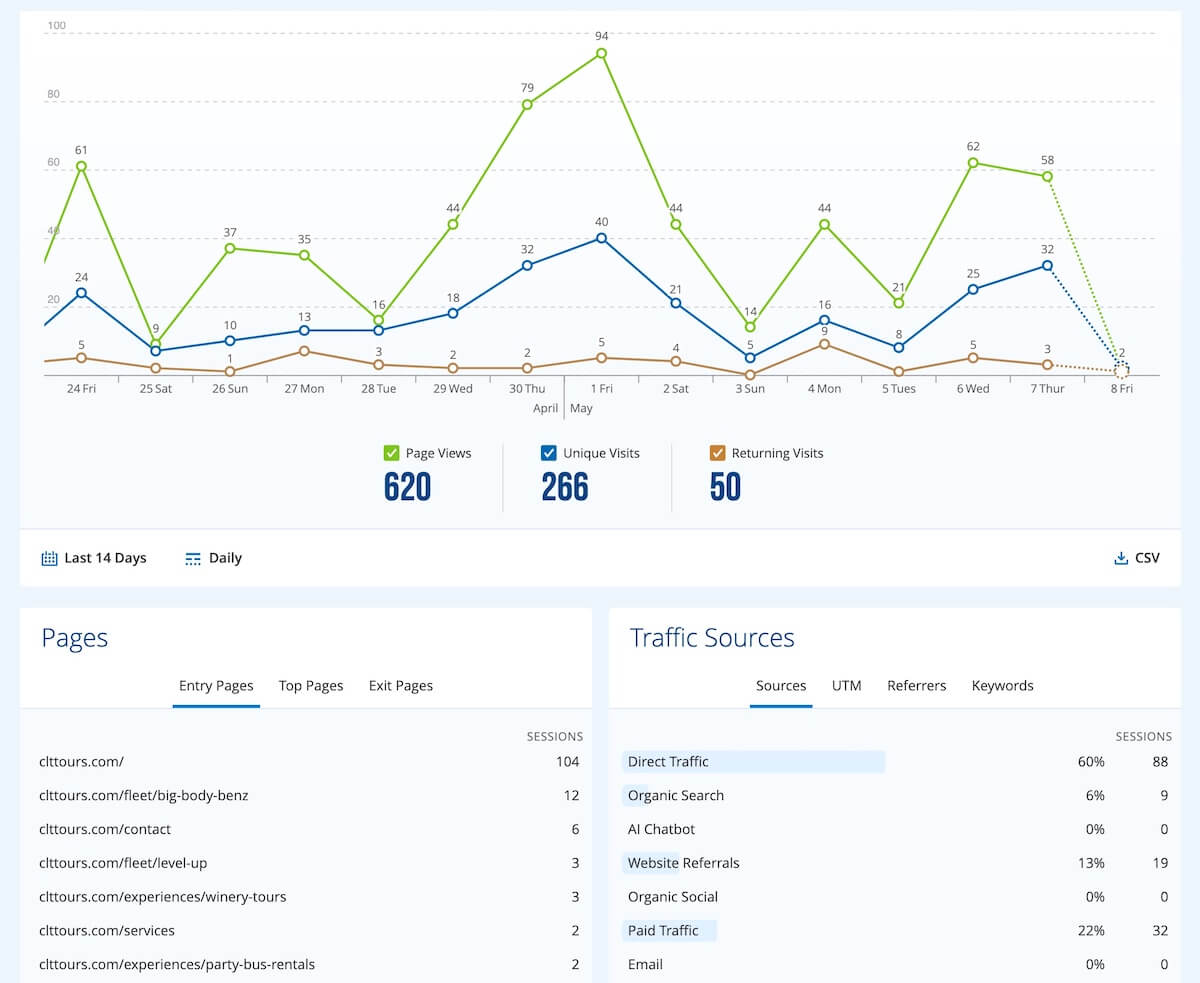
Statcounter has been around since 1999. It’s one of the oldest web analytics tools still in operation. The free tier is functional for small sites, and the premium tiers offer more data, but it’s showing its age.
Pricing: Free tier with 5,000 sessions/mo (14-day log retention). Premium starts at $29/mo for 100K sessions. Premium Plus adds UTM tracking.
Key strengths:
- Free tier works for very small sites
- Individual visitor tracking with IP labels
- Ad fraud detection (Google Ads / Facebook Ads)
- Been around since 1999 — proven reliability
Honest limitations:
- Free plan’s 5,000 session limit is extremely restrictive
- Uses cookies (consent banner needed)
- UI is very dated
- Not privacy-focused — collects IP addresses
- Expensive at scale compared to modern alternatives
Choose Statcounter if you have a small personal site and want basic free analytics. For anything beyond that, there are better options.
Tips for Migrating from GA4
Here are a few things to keep in mind if you’re ready to migrate from Google Analytics.
What You’ll Lose (Worth Knowing)
No alternative is a 1:1 replacement for everything GA4 does. A few things to keep in mind:
- Google Ads integration. If you run Google Ads, no alternative fully replicates the native campaign integration. You can still track campaigns via UTMs, but it’s not as seamless.
- BigQuery export. GA4 gives you free raw data export to BigQuery. Most alternatives have APIs, but this is a genuine GA4 strength for data teams.
- It’s free. GA4 costs nothing for most sites. Every alternative on this list (except Cloudflare and self-hosted options) is a paid tool.
None of these are dealbreakers for most people, but they’re worth factoring in.
Run Parallel Tracking First
Don’t rip out GA4 on day one. Install your new tool alongside GA4 and run both for 2-4 weeks. This lets you:
- Compare data accuracy between the two tools
- Make sure the new tool captures everything you need
- Get comfortable with the new interface before going all-in
Setup Time
Most cloud-hosted tools on this list (GoodMetrics, Plausible, Fathom, Simple Analytics, Clicky, Pirsch, Rybbit, Umami Cloud, Cloudflare, Statcounter) take about 5 minutes — you sign up, grab a script tag, and paste it into your site.
Matomo Cloud and Piwik PRO take a bit longer (30-60 minutes) because they have more configuration options.
Self-hosting any tool (Matomo, Umami, Rybbit, Plausible) is a bigger commitment — expect 1-4 hours for initial setup, plus ongoing server maintenance.
FAQs
Can I use a GA4 alternative alongside GA4?
Yes. Most alternatives are a single script tag that works independently. You can run any of these tools alongside GA4 with no conflicts.
Will switching affect my SEO?
No. Analytics tools are tracking tools — they observe your traffic but don’t influence how search engines rank your site. If anything, switching to a lighter script can improve your page speed, which is a ranking factor.
Do privacy-first tools give accurate data?
Privacy-first tools that are cookieless often show higher visitor counts than GA4 because they don’t lose visitors who decline cookie consent.
The trade-off depends on the tool: some (like Plausible and Fathom) rotate their visitor hashes daily, which means a returning visitor the next day is counted as new. Others (like GoodMetrics) maintain a longer-lived signature that can identify returning visitors over time, as long as they don’t switch networks or devices.
Cookie-based tools can sometimes stitch visitors across devices, but they come with their own reliability issues — especially on mobile, where tracking prevention has gotten aggressive.
What about product analytics tools like Mixpanel or Amplitude?
Tools like Mixpanel, Amplitude, PostHog, and Heap are product analytics platforms, not GA4 alternatives. They’re designed for tracking in-app user behavior, feature adoption, and product funnels — a different use case than website traffic and marketing analytics. If you need product analytics, those are great tools, but they don’t replace GA4 for marketing teams.
Wrapping Up
There’s no single “best” GA4 alternative — it depends on what you value most. Privacy? Simplicity? Feature depth? Budget? Self-hosting?
The good news is that the alternatives have gotten really good. Five years ago, switching from Google Analytics meant accepting major trade-offs. Today, tools like GoodMetrics, Plausible, Fathom, and Matomo offer experiences that are genuinely better than GA4 for many use cases.
If you’re still on the fence, pick one tool and run it alongside GA4 for a month. You’ll quickly see whether it gives you what you need.
