The Marketer’s Guide to Instagram Hashtags (2026 Update)
Instagram hashtags have changed a lot. You can only use five per caption now, you can no longer follow hashtags, and Instagram has been clear that hashtags aren’t a shortcut to more reach.
They still have a job, though. Hashtags tell Instagram what your post is about, which helps it show your content to the right people in search and recommendations. And branded hashtags are still one of the easiest ways to collect posts from your community.
Here’s how hashtags on Instagram work today, and how to choose the few that count.
What Do Instagram Hashtags Actually Do Now?
Think of hashtags as labels, not megaphones. Instagram head Adam Mosseri has said that hashtags help Instagram understand what a post is about, but that they shouldn’t be treated as a way to get more distribution.
A few other changes point the same way:
- You can’t follow hashtags anymore. Instagram removed hashtag following in December 2024. Hashtags no longer feed posts directly into people’s home feeds. Instead, Instagram recommends content in Feed, Explore, and Reels based on each person’s interests.
- People can still search hashtags. Tapping a hashtag or searching for one still shows related posts, so a relevant hashtag can still help someone find you.
- Captions and other signals carry more weight. Instagram search matches what people type against usernames, bios, captions, hashtags, and places. How people react to your post (especially shares to Stories and DMs) matters far more for reach than any hashtag.
So hashtags won’t make a post go viral. What they will do is give Instagram clear context, so the post lands in front of people who actually care about the topic.
Where Hashtags Still Shine: Branded and Campaign Hashtags
The most useful hashtag for most brands is one they made themselves. A branded hashtag gives your community a simple way to tag posts about you, and gives you an easy way to find them.
Branded hashtags are especially useful for user-generated content (UGC) campaigns, where followers post about your brand using a specific tag. And when you’re running a hashtag contest or giveaway that requires users to comment or tag friends, an Instagram giveaway winner picker tool makes it easy to collect entries and choose a winner transparently.
A fun, catchy hashtag can also add some personality to your account and give your followers a trend to join in on.
How Many Instagram Hashtags Should I Use?
Instagram now allows a maximum of five hashtags in the caption of a post or Reel. The old limit was 30, but in December 2025 Instagram announced that it would “gradually update the number of hashtags that you can include in a caption for a reel or post to five.” Because the change rolled out gradually, you may still come across older posts with far more hashtags than that.
The new cap matches what Instagram had been telling creators for years. The Instagram Creators account had already advised users to stick to 3-5 hashtags in captions.
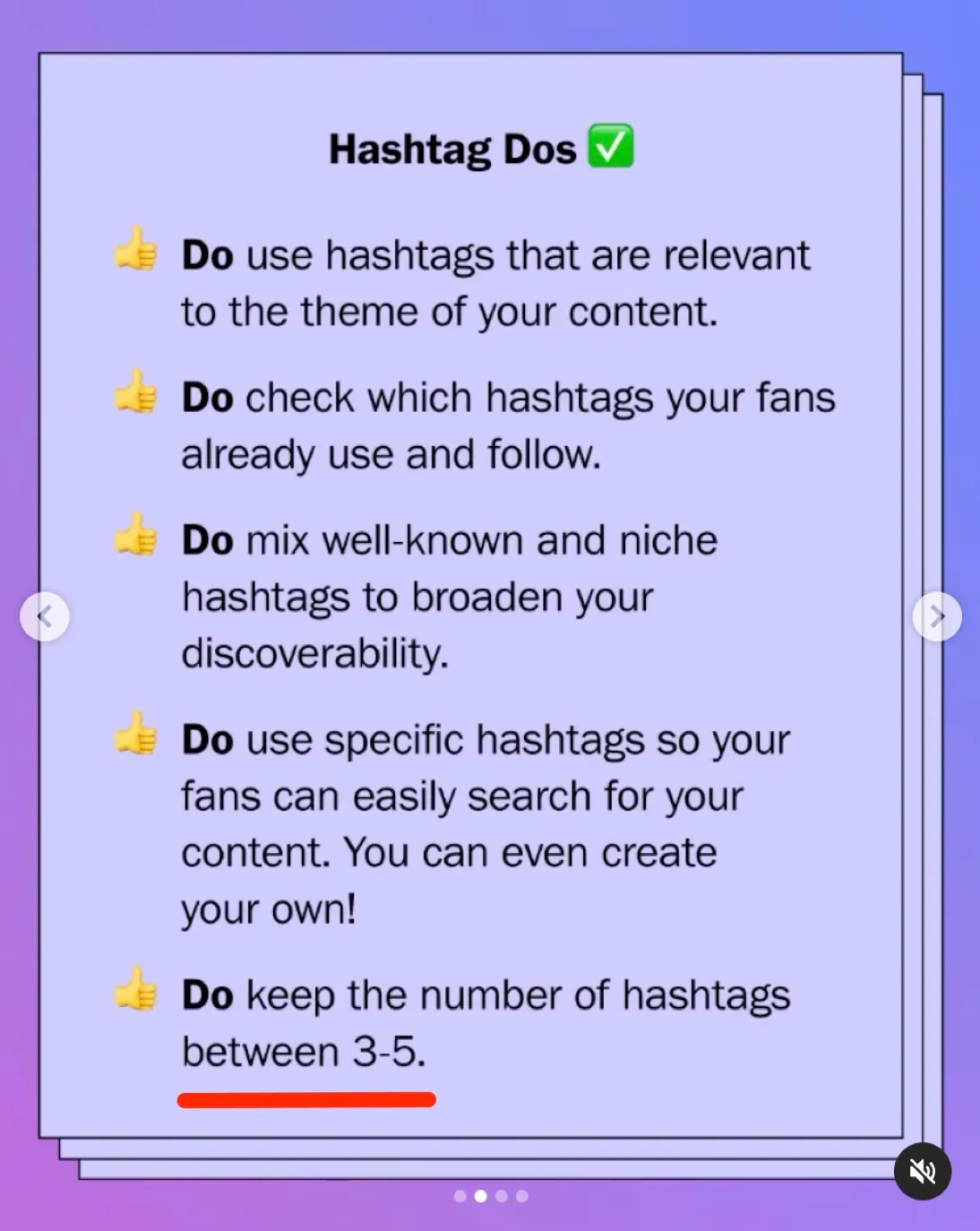
Instagram’s reasoning is that a few specific, relevant hashtags tell the platform more about your content than a long list of generic ones. So with only five slots, every hashtag needs to earn its place. A good mix might look like this:
- One or two niche hashtags that describe exactly what the post is about
- One or two broader topic hashtags that your target audience searches for
- One branded or campaign hashtag, if you have one
Skip broad, overused tags like #love or #instagood. They’re so crowded that your post will disappear in seconds, and they say almost nothing about who should see it.
Remember that you can also use hashtags in your Instagram Stories. Give that a try to see what’s most effective for you.
(If you need stellar visuals for your Stories, Snappa can help with that. We have a guide to help you get the perfect Instagram Story dimensions here.)
Put Keywords in Your Caption Too
Since Instagram search looks at captions as well as hashtags, the words in your caption do a lot of the same work hashtags used to do. Write captions that naturally include the terms people would search for.
For example, a bakery posting a new item could write “Our new sourdough cinnamon rolls are here, fresh every Saturday in Austin” instead of just “New drop! 🔥”. The first version tells Instagram (and your followers) exactly what the post is about and who it’s for.
The same goes for your profile. Put your main keywords in your name field and bio so your account shows up when people search for what you do.
How to Find the Right Instagram Hashtags for Your Posts
With only five hashtags to work with, a little research goes a long way. Here’s how to find the ones worth using.
1. Make a List of Topics Related to Your Brand
First, build a list of topics related to your brand. What product or service do you offer? What kinds of content are your target customers looking for?
Then, research your current analytics. It doesn’t hurt to look at website and Google analytics in addition to your social media stats. This information can tell you a lot about what your users are actively searching for when they come to you.
Your topic list doubles as a keyword list for your captions, and it gives you a starting point for your hashtags.
2. Check That People Actually Use Them
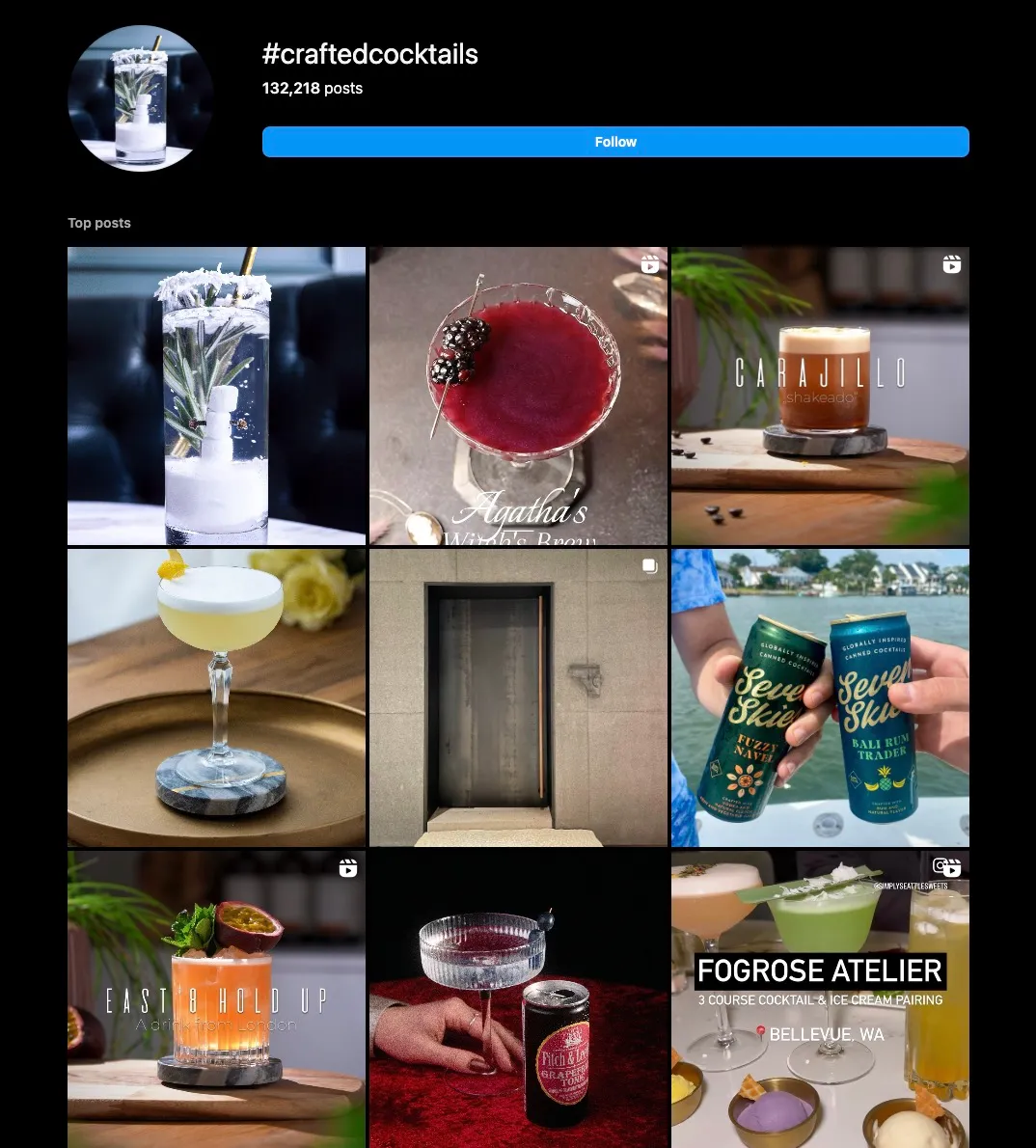
Before you add a hashtag, search for it on Instagram and look at the posts that come up. Are they the kind of posts you’d want yours to sit next to? If the results are spammy, off-topic, or almost empty, pick something else.
Hashtag tools such as Later or RiteTag can speed this up by suggesting related hashtags. The only time you should use a hashtag nobody else uses is when it’s a branded hashtag you’re creating on purpose.
3. Look At Hashtags Other Brands Are Using
Take a look at your competition on Instagram. Which hashtags are they using?
Are they including hashtags you could also incorporate into your Instagram content? Try them out and see whether they suit your posts.
You’ll want to make sure you’re not lifting any brand-specific hashtags they’ve created for themselves. Only use hashtags that are generally available.
4. Make Your Own Branded Hashtag
Creating your own branded hashtag for your Instagram presence is a great way to set your posts apart.

As your brand grows, ask users to include your branded hashtag in posts about you or your products. This will help you keep track of posts, particularly if you’re going to be incorporating UGC into your content strategy.
In addition to a branded hashtag, you can create campaign-specific hashtags to use during special events. These are great for challenges, giveaways, or product launches.
Final Thoughts
Instagram hashtags aren’t the growth hack they once were, but they still matter. Use up to five specific, relevant hashtags to tell Instagram what your post is about, write captions with the keywords people search for, and save your creativity for a branded hashtag your community can rally around.
Of course, what really earns reach on Instagram is content people want to share, so you’ll need great Instagram visuals, too. Snappa can help with that. It’s free to get started with our easy-to-use templates and design tools. Click here to sign up!
